
A faceless video
generator for Windows.
A faceless Short is narration over footage, with captions, and nobody on camera. Doing it by hand means a script, a voice tool, a stock or clip search and an editor for every video. Shorvo puts the voice, footage, captions and render into one Windows app, so the script is the only part you write.
Windows 10/11 · First 3 videos free · Pro $129 $77.40 with code BF40 until Dec 10Then $129 once
Inside the app.
Screenshots from the Shorvo Windows app.
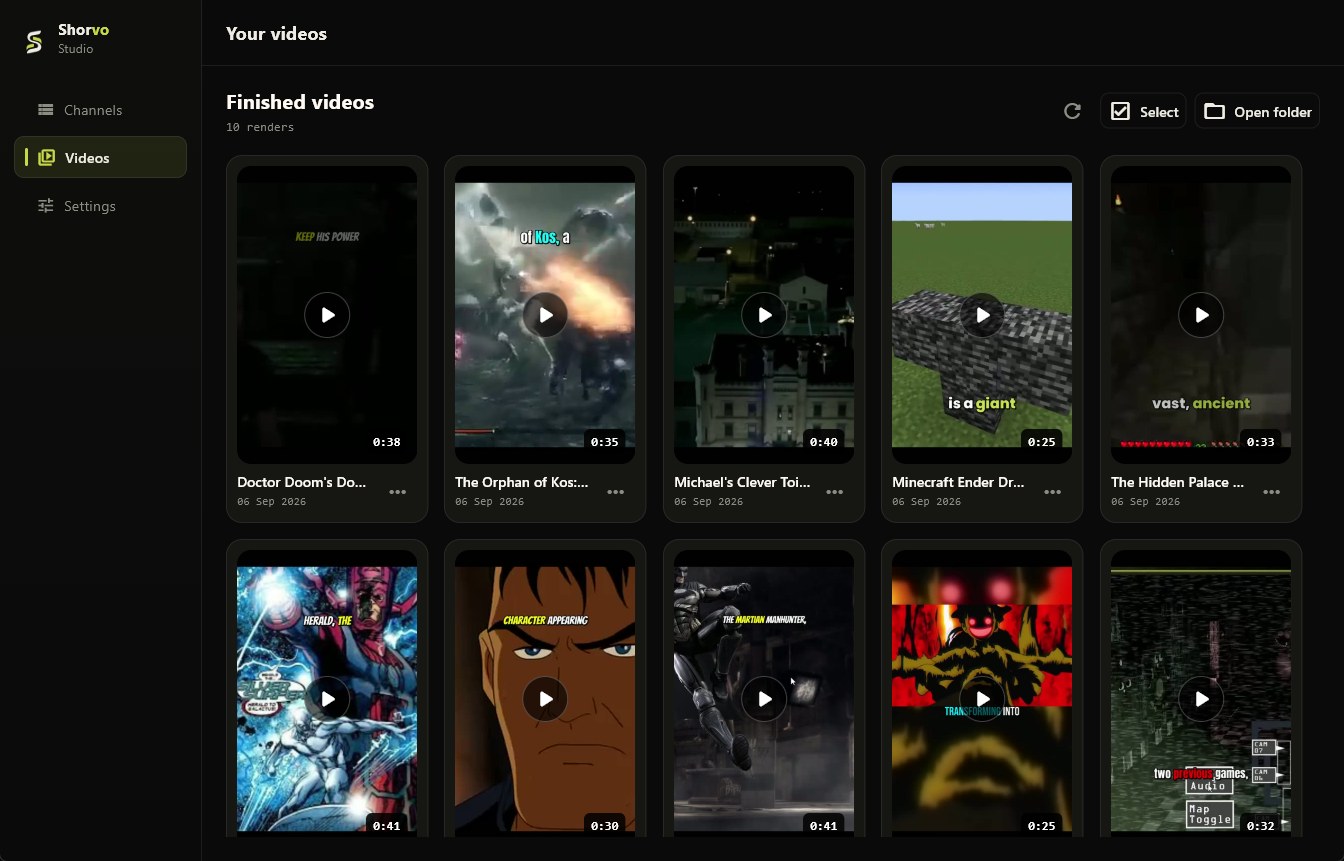
A library of faceless Shorts
Real Shorts made with Shorvo: narration, footage and captions, nobody on camera.
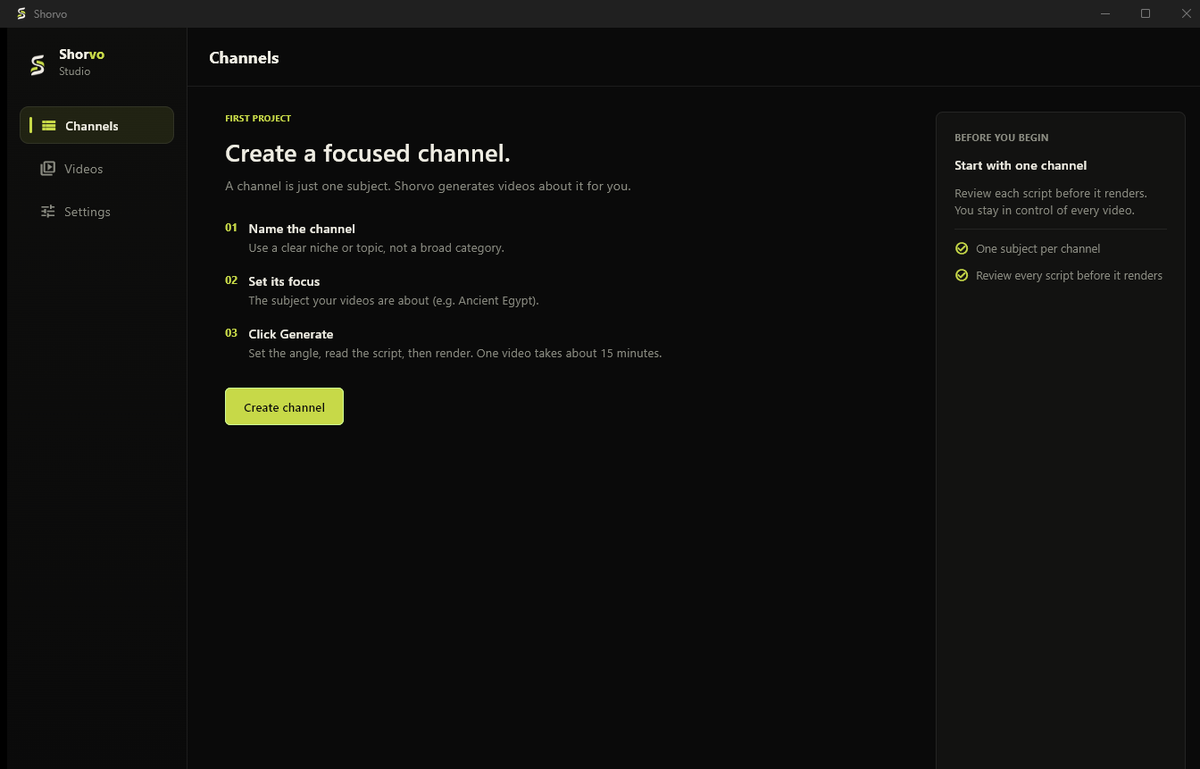
One channel per subject
Name the channel, set its focus, then generate videos for it.
What a faceless video needs, and who does it.
- Script
- You, or the optional built-in writer from a topic.
- Voice
- Shorvo reads the script with an AI voice generated on your PC.
- Footage
- Shorvo finds and screens clips around the channel's subject.
- Captions and cut
- Word-timed captions burned in, cut to 1080 by 1920.
- Posting
- You. Shorvo does not upload, schedule or run your channel.
One channel per subject.
In Shorvo a channel holds one subject: one game, one show, one history topic. Each channel keeps its own name, handle and style, so a series stays on theme from video to video. Pro has no limit on channels or videos. Footage depends on the topic: well-covered subjects give more choice than niche ones.
Before you publish.
Watch every video first. Shorvo assembles footage from third-party sources, so whether you may publish or monetise a video is your decision and responsibility. We make no claim that any output is copyright-free or eligible for monetisation.
Common questions.
What software do faceless YouTube channels use?
Usually a script tool, a voice generator, a footage source and an editor. Shorvo combines voice, footage, captions and rendering in one Windows app.
Can I run a faceless Shorts channel from a PC?
Yes. Make the vertical videos on Windows and upload them in YouTube Studio from your browser.
Does Shorvo post to my channel automatically?
No. It makes the video and saves it to your library and a folder on your PC. You review and upload it.
Is it free to start?
The first 3 successful videos are free with a small watermark. Pro Lifetime is $129 once, with no subscription.
Does it work on Mac?
No. Shorvo runs on Windows 10 and 11, 64-bit only.
Make your first faceless Short free.
3 videos free. No card required. Windows 10/11.