
How to make YouTube Shorts
on a PC.
Short answer: make a vertical video of up to 3 minutes on your computer, then upload it in YouTube Studio from your browser. YouTube files it as a Short on its own. This guide walks through the format, the tools you can use on Windows, and the upload.
Updated November 2026
1. Get the format right.
According to YouTube Help, a video uploaded from a computer counts as a Short when it is up to 3 minutes long and has a square or vertical frame.
- Shape
- Vertical 9:16 is the usual choice: 1080 by 1920 pixels. Square (1:1) also counts.
- Length
- Up to 3 minutes. Most faceless Shorts run 20 to 60 seconds.
- File
- An MP4 (H.264 video, AAC audio) at 30 frames per second uploads without trouble.
- Text
- Keep captions and titles away from the very top and bottom, where the YouTube app draws its own buttons, channel name and description.
2. Plan the Short before you open any software.
Write the script first. Open with the most interesting line, because viewers decide in the first second or two whether to keep watching. Keep sentences short enough to read as captions. For a faceless Short, note what the viewer should see while each part is spoken: that becomes your footage list. Only use footage, music and images you are allowed to use.
3a. Make it in a video editor.
Full control, and the most work. Clipchamp comes with Windows 11; CapCut and DaVinci Resolve also have free Windows versions.
- Start a 9:16 project. In Clipchamp, pick the 9:16 size; in other editors, set the project to 1080 by 1920.
- Add the voice. Record yourself with a USB microphone, or use the editor's text-to-speech if it has one (Clipchamp does).
- Lay footage under the voice. Import your clips and cut each one to the part of the script it belongs to. This is usually the longest step.
- Add captions. Most editors can generate them from the voice track (Clipchamp calls it autocaptions). Read them through: automatic captions get names and numbers wrong.
- Add music, quietly. Keep it well under the voice so every word is clear on a phone speaker.
- Export at 1080 by 1920, MP4.
3b. Or turn the script into the video with an app.
If you make faceless Shorts and the editing is the slow part, a script-to-video app can do the voice, footage, captions and export for you. Here is how that works in Shorvo, the Windows app we make.
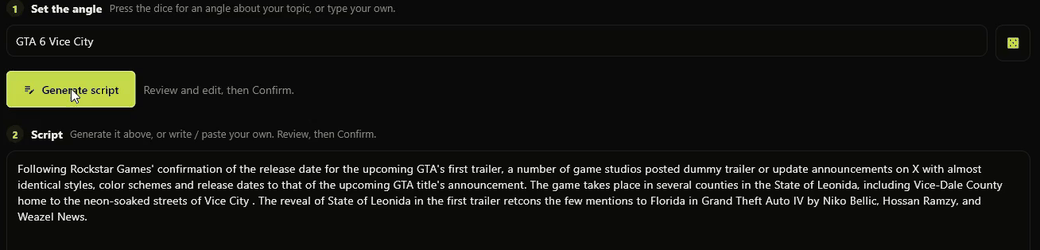
Paste the script
Create a channel for your subject and paste the words for this Short.
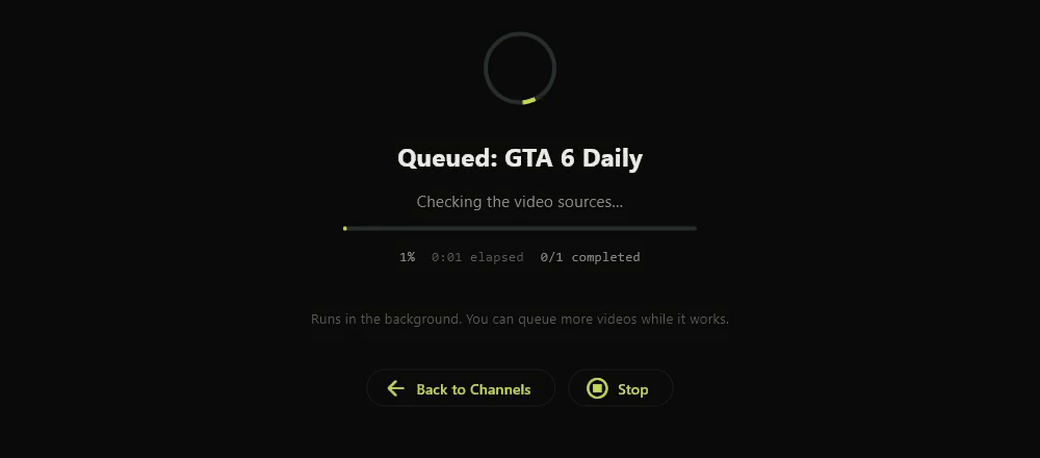
Let it build
Shorvo finds footage, narrates the script, adds captions and renders a 1080 by 1920 MP4 on your PC, in the background.
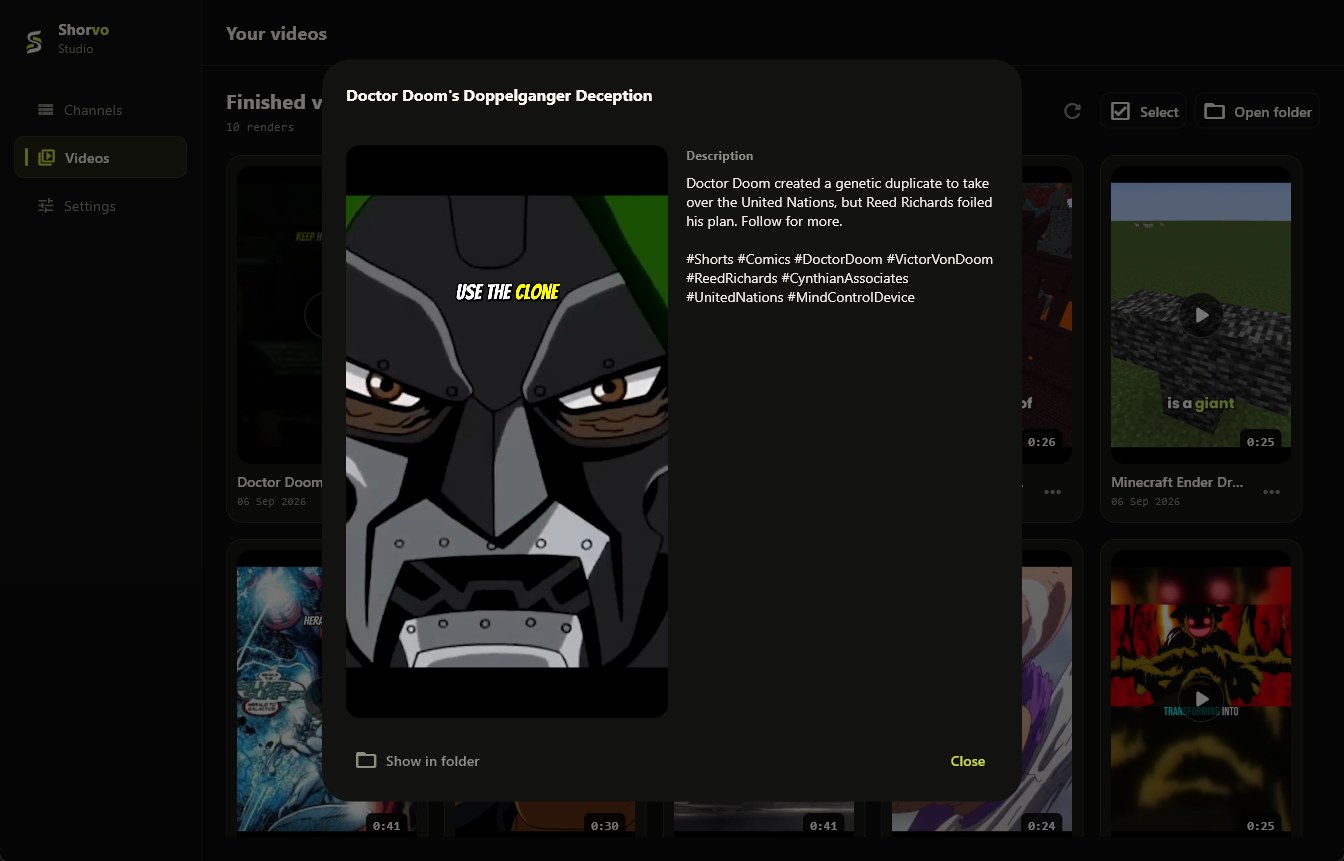
Watch it before you post
Check the words, the clips and the captions, exactly as you would with an editor export. If something is off, change the script or open the MP4 in an editor.
Less control than an editor, much less time. The first 3 Shorvo videos are free; Pro is $129 once. What Shorvo does, in detail.
4. Upload it from your computer.
Sign in to YouTube Studio in your browser, click Create, then Upload videos, and pick the vertical file. Add a title and description, choose who can see it, then publish or schedule it. You can select up to 15 Shorts at once, but each one still needs its details filled in. You do not need to add anything to the title for the video to appear as a Short.
Common questions.
Can you make YouTube Shorts on a computer?
Yes. Make a vertical or square video of up to 3 minutes in any desktop editor or app, then upload it in YouTube Studio from your browser.
What size should a Short be?
1080 by 1920 pixels (9:16) is standard. Square videos also count as Shorts.
Which editor should I use on Windows?
Start with what you have. Clipchamp is already on Windows 11 and has 9:16 projects, autocaptions and text-to-speech. CapCut and DaVinci Resolve are free alternatives with more control.
Can I make faceless Shorts on PC?
Yes. A faceless Short is narration over footage, with captions. You can build it by hand in an editor, or paste a script into an app such as Shorvo and let it assemble the video.
Can I upload Shorts from a PC without the YouTube app?
Yes. YouTube Studio in a desktop browser uploads Shorts; the phone app is not needed.
Want to skip the editing step?
Shorvo turns a script into a finished vertical Short on Windows 10/11. 3 videos free, no card required.